
Each model is an animal you can turn around and zoom into in your browser. Tap a label to read what that part of the body is and what it does, then switch to a related species or the female to compare them. The models run on phones and computers with nothing to install.
3D animal models
-
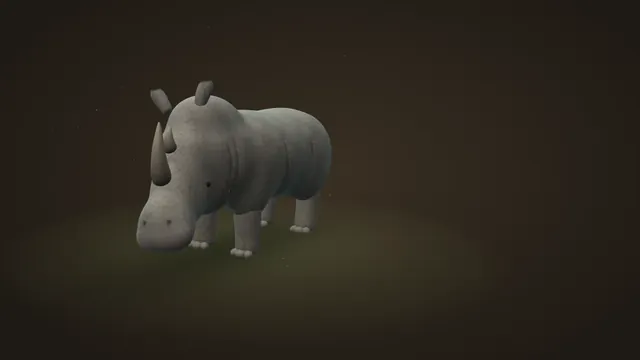
Rhinoceros 3D Model
A life-size white rhino with 11 labeled parts. Swap in the black rhino and stand it next to a person for scale.
-
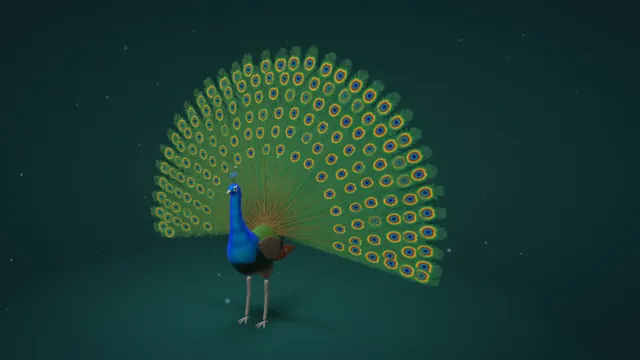
Peacock 3D Model
Fan the tail, shake the train and tap 12 labeled parts. Switch between the peacock, the peahen and a white peacock.
What each model shows
- Rhinoceros: a life-size white rhinoceros, the largest of the five living rhino species, with 11 labeled parts from the horns to the three-toed feet. The Black rhino button swaps in the smaller black rhino, and the Size button stands a person next to it for scale.
- Peacock: a male Indian peafowl with 12 labeled parts, from the crest to the eyespots. Fan tail raises the train into a display and Shake plays the train rattle peacocks use when courting. Buttons switch between the peacock, the peahen and a white peacock.
How to use the models
- Turn: drag the animal in any direction.
- Zoom: pinch on a phone, or hold Ctrl and scroll on a computer.
- Labels: tap a label to read about that part. The guide under each model covers every part in more detail.
- Compare: the buttons at the top of the controls switch species or sex.
Frequently asked questions
Can I use the models in class?
Yes. They are free and need no account, and they work on a projector, a classroom computer or a tablet.
Do the models work on a phone?
Yes. Drag with one finger to turn the animal and pinch to zoom.
Where do these animals live in the wild?
The peacock habitat map and the rhino habitat map show the wild range of both animals. Every map is on the animal habitat maps page.